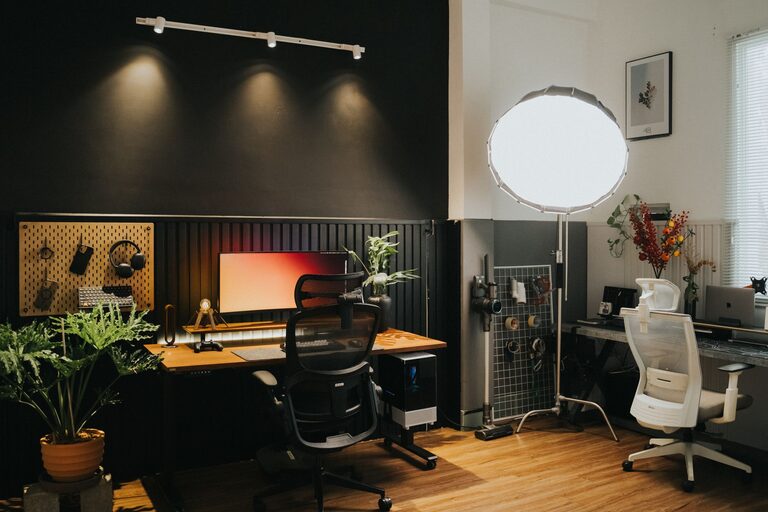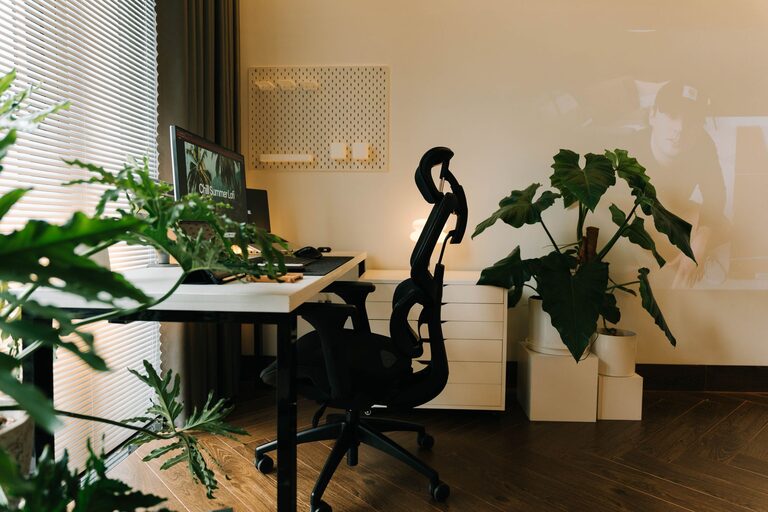











Creating a dedicated home office space can significantly improve your productivity and work experience. Whether you’re new to remote work or simply want to optimize your current setup, having an organized and efficient workspace is essential. In this post, we’ll share practical tips to help you design a home office that supports focus, reduces clutter, and promotes a positive work routine.
Why an Organized Home Office Matters
Working from home comes with unique challenges. Without a clear boundary between personal and work environments, distractions can creep in easily. An organized home office can help:
– Boost concentration and reduce stress
– Improve time management
– Create a professional atmosphere for virtual meetings
– Enhance comfort and well-being during long work hours
Now, let’s look at how you can achieve an ideal home office setup.
Choose the Right Location
Your home office location plays a big role in how productive you can be. Here are some tips for selecting the right spot:
– Find a quiet area: Choose a space away from household noise and high-traffic zones.
– Consider natural light: A well-lit office not only reduces eye strain but also elevates mood.
– Assess space needs: Pick a spot that can comfortably fit your furniture and equipment without feeling cramped.
If space is limited, even a small corner with a desk can be transformed into a functional office.
Invest in Comfortable and Functional Furniture
Good furniture is key to staying comfortable and focused:
– Desk: Select a desk with enough surface area for your computer, notebook, and other essentials. Adjustable desks or standing desks can add flexibility.
– Chair: Use an ergonomic chair that supports your posture and reduces fatigue. Adjustable height and lumbar support are beneficial.
– Storage: Incorporate shelves, filing cabinets, or drawer units to keep supplies organized and within reach.
Comfortable furniture helps prevent physical strain, enabling longer, more productive work sessions.
Organize Your Desk for Efficiency
A cluttered desk can cause distractions. Here’s how to keep your workspace tidy:
– Use organizers: Desk trays, pen holders, and cable management solutions keep items orderly.
– Limit what’s on the surface: Only keep daily essentials visible; store other items away.
– Maintain regular cleaning: Take a few minutes at the end of each day to clear your desk.
A neat workspace encourages clearer thinking and helps maintain focus.
Set Up Technology Thoughtfully
Your tech setup should support productivity without adding frustration:
– Reliable internet: A fast and consistent internet connection is a must, especially for video calls.
– Quality peripherals: Invest in a good keyboard, mouse, and headset to improve comfort and communication.
– Cable management: Use clips or ties to prevent cords from tangling and creating clutter.
– Backup power: Consider a surge protector or uninterruptible power supply (UPS) to protect devices during outages.
Having reliable tech reduces disruptions and keeps your workflow smooth.
Personalize Your Space Without Overdoing It
Adding personality can make your office inviting, but avoid over-cluttering:
– Add greenery: A small plant can improve air quality and mood.
– Decorate with meaningful items: A photo frame or artwork can be motivating.
– Choose calming colors: Walls or accessories in muted tones help maintain focus.
Balance is key — your space should inspire without distracting.
Establish Clear Boundaries and Routines
Working from home often blurs the line between work and personal life. Help maintain balance by:
– Setting work hours: Define specific start and finish times to your day.
– Using signals: Consider closing the door or using a “busy” sign during meetings or focused work periods.
– Taking breaks: Incorporate regular short breaks to stretch and refresh your mind.
Clear boundaries can increase productivity and support mental well-being.
Utilize Smart Storage Solutions
Effective storage keeps your office clutter-free:
– Vertical storage: Use wall-mounted shelves to maximize space.
– Labeling: Label drawers and boxes for quick retrieval of items.
– Digitize documents: Scan papers and save them digitally to reduce physical clutter.
Good storage enhances organization and saves time searching for materials.
Improve Lighting and Air Quality
Proper lighting and air circulation help maintain energy and focus:
– Use layered lighting: Combine natural light with ambient and task lighting to reduce eye strain.
– Position your desk near a window: Take advantage of daylight without glare on your screen.
– Ventilation: Keep your office well-ventilated to prevent stuffiness and fatigue.
Comfortable environmental conditions boost productivity and well-being.
Final Thoughts
Creating an organized and productive home office doesn’t require a major renovation. With thoughtful choices in location, furniture, organization, and routines, you can craft a space that motivates and supports your best work. Regularly review and adjust your setup as your needs evolve to maintain a comfortable and efficient workflow.
By investing time and effort into your home office environment, you’ll likely find working from home more enjoyable and successful. Start with a few small changes today and build from there!